Virtual reality software for clinics
Organise who uses the cockpit, simultaneous headsets and what your team needs to start. Contracting separates professionals, permissions and concurrent capacity so clinic decision-makers can review one concrete proposal.
The account allows exploration without a card. Cockpit, headset and sessions require activation.
Control panel and real scenarios
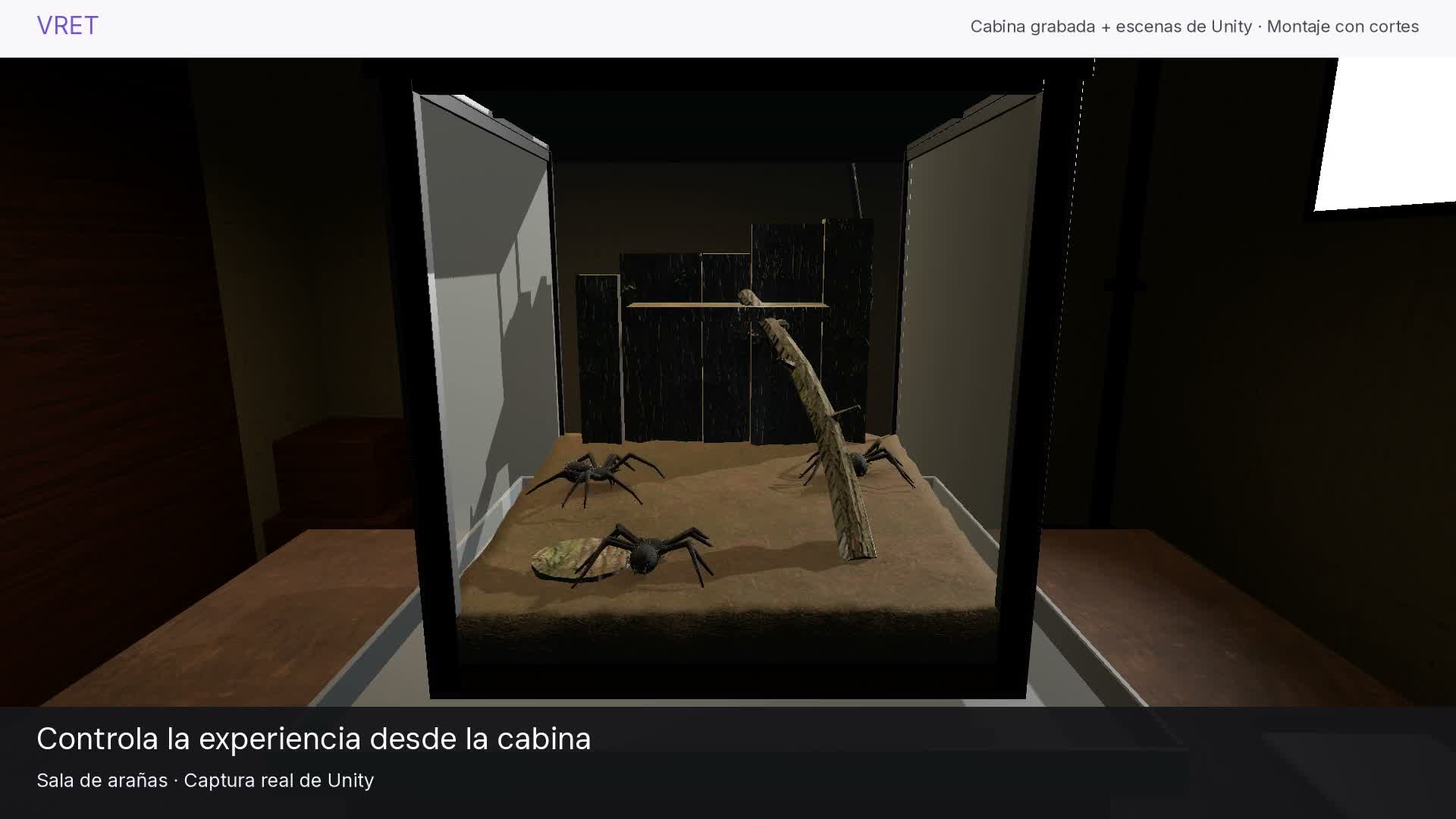
Recorded VRET cockpit and real Unity scenes from independent sessions. Demonstration without a patient.
Read transcript
Recorded demonstration without a patient: the VRET cockpit and real scenes shown from the Unity editor in an independent session, not through the headset. Edited video, no voice or music. 00:00:00.000 Control the experience from the cockpit. Spider room 00:00:05.000 Prepare the experience and initial settings. Demonstration without a patient 00:00:19.000 Start from the cockpit. One click starts the scene 00:00:23.000 Explore the spider room. Three tarantulas 00:00:31.000 Check the experience status. Live status and controls 00:00:39.000 Crack the glass from the cockpit. The cockpit confirms: cracked glass 00:00:54.000 Spider room, captured in Unity. Independent editor footage 00:01:06.000 Cancel glass cracking. From the cockpit 00:01:09.000 Check the received status. Intact glass confirmed in the cockpit 00:01:18.000 Confirm session end. Closing dialog 00:01:20.000 Check that the session has ended. Cockpit available after ending the session 00:01:25.000 Explore more VRET scenarios. Bamboo forest
Recorded on October 5, 2026
Start with professionals, access and scheduling
Standard permits unlimited professional members inside the Client’s organisation. Use individual named accounts and never shared credentials. The clinic decides membership, scheduling and session supervision. Verified clinic access distinguishes these roles:
| Role | Verified scope |
|---|---|
Clinic administration | Members, devices, billing and clinic-wide clinical view. |
Professional | Starts/controls sessions; clinical content limited to sessions they started. |
Billing management | Financial permissions without clinical access; plan changes belong to administration. |
Confirm assigned permissions during setup. This offer establishes no custom location-by-location role matrix or clinical access for everyone. Platform support access has separate limits and is not an organisational clinical role.
Calculate capacity by simultaneous headsets
Standard: USD 119/month or USD 1,190 in one payment for twelve months, before tax. One simultaneous headset connection and unlimited professional members within the Client’s organisation. Each additional simultaneous connection costs USD 69/month or USD 690 for twelve months, before tax. Headsets, PC and accessories are separate. This is the existing EN/global USD tariff, not a GBP or UK offer. A licence may be reassigned after unlinking the previous compatible headset. More professionals or physical headsets do not create additional simultaneous connections.
| Simultaneous headsets | Monthly, USD before tax | One payment for 12 months, USD before tax |
|---|---|---|
1 | 119 | 1,190 |
2 | 188 | 1,880 |
4 | 326 | 3,260 |
Monthly: 119 + (headsets − 1) × 69. Annual: 1,190 + (headsets − 1) × 690. Four professionals sharing two simultaneous headsets pay USD 188/month or USD 1,880 for twelve months; members add no fee. Hardware and taxes are separate. Mid-period additions need capacity, proration and renewal date stated before charging. More than ten headsets requires specific sizing. Licences are for the Client’s organisation, without resale to other clinics; the number of locations must be specified in the offer.
Setup with clear responsibilities
- The clinic defines use and responsibilities: available activities, qualified professionals and administrators of access, equipment and clinical documentation. Catalogue.
- The clinic checks equipment and space. Use the professional cockpit in a PC browser, with a compatible headset, internet and appropriate space. Quest 3 is recommended in the documentation; Quest 3S, Quest 2 and Quest Pro are listed as compatible, subject to application, scene and configuration checks. Documentary compatibility does not prove physical testing of every setup. Requirements.
- Clinic and provider complete the Order: licences, tax, equipment, support, activation, period and renewal. Pro is an assisted EUR offer referenced for Spain: €1,150 per year before tax, with Standard and one initial Meta Quest 3S in Spain, supplied once. There is no approved USD Pro tariff; this English page does not convert the EUR price or establish a local hardware offer. Confirm territory and eligibility. Model, condition, accessories, equipment value, delivery and transport, warranty, cancellation, usable activation, renewal and taxes must be complete in the Order before acceptance. If an essential term is missing, the affected component cannot be accepted, charged or activated. Renewal supplies no second headset; the difference between Standard and Pro does not determine equipment value.
- The base contract includes remote setup and up to three hours of technical training per Client, scheduled by mutual agreement. Email support is Monday to Friday, 09:00–18:00 Europe/Madrid, excluding holidays at the provider’s domicile. Confirm channel, language and scheduling in your Order. Base support has no guaranteed response time or continuous multilingual coverage. Training is technical and does not include clinical advice or professional certification.
- The professional prepares and directs each session. Activation is distinct from account creation and call attendance. Check connection and control effects before continuing. Session workflow.
For technical issues, [email protected]; for security or data incidents, [email protected]; for data protection rights, [email protected]. Provide the professional account, contact details, time, affected feature or version, error message and impact on the service, without patient data, passwords or access codes. VRET will receive and assess the report, prioritising security or data risks and service interruptions over ordinary enquiries; it will communicate the assessment outcome, next steps and relevant changes during follow-up. If unresolved or if you disagree with the assessment, request review or escalation through the same channel, referring to the earlier message. This procedure adds no guaranteed response time or compensated SLA; statutory incident duties remain independent of support hours.

Catalogue image of the flying scene, not a session recording. Appearance may vary with the installed version.
Records and documentation for your decision
The exportable record can contain scene, pseudonymous patient reference, status, start, closure and available duration; received events; markers with time, label, note and author; clinician notes and saved optional snapshots. Missing fields remain absent. It is not audio/video recording and does not automatically capture conversation or clinical decisions. Manual ratings such as SUDS need your entry. Check saving: visible text during sending is not proof it was saved. Snapshots depend on preview availability and successful saving. PDF reports and structured JSON downloads are available; JSON reads up to 20,000 events per session. Request CSV delivery from support as part of contractual exit; it is not a self-service cockpit download. Keep necessary information in your main clinical record. No automatic patient migration or standard EHR/HIS connector is offered; API, automation and SSO need confirmed scope and permissions. Export and integrations (Spanish).
Review the contract, data processing agreement and applicable infrastructure record before acceptance. The clinic determines purpose, lawful basis and retention of its principal clinical documentation. Pseudonymous references reduce identification but remain protected data; notes or voice can contain identifiers. Minimise them and keep the identity mapping separately. The contract requires principal clinical storage, replicas and backups within the documented EU perimeter; remote access, providers and transfers need separate documentation. Principal production runs on AWS Ireland. European hosting does not guarantee that all access takes place in the EU. Support access to clinical content needs a documented, time-limited request or justified security, continuity or legal need, with logging and notice unless legally prohibited. The ordinary contractual exit schedule runs from effective service end: export channel until D+30, production deletion no later than D+60, backup expiry no later than D+97. Effective deletion is confirmed through the exit process, distinguishing production systems and backups, including inherited copies. Valid instructions, legal obligations and protected transition can adjust it. Exit excludes other clients’ data, code, keys and unlicensed proprietary assets; accepted historical rights remain intact. Security and data.
Frequently asked questions
Do we pay per psychologist?
No member fee within the organisation. Additional cost follows simultaneous headset connections. Professionals alternating one headset need one licence; two headsets operating at once need two.
Can we use our own headsets?
Yes if model, application and configuration are compatible and connection and space are checked. Standard excludes hardware. Pro references an assisted EUR offer with initial Quest 3S only in Spain and fully specified delivery, only on the first Pro purchase in Spain; Pro outside Spain excludes physical equipment.
Does a free account test sessions with our equipment?
A free account lets you explore catalogue and information without a card. Cockpit, headset connections and sessions require activation. Any courtesy period must have dates, requirements, duration and subsequent price in an accepted offer; it may be zero months, which starts no trial. Free courtesy does not become paid automatically without authorisation. Account creation, booking, attendance, activation and paid purchase are separate facts. The 30-minute call is a product discussion, separate from training and activation.
Is clinical support or accredited training included?
Included setup and training are technical. They do not replace professional qualification, clinical judgement or accredited clinical training. Contract support hours are not a response SLA or continuous service.
What if we cancel?
Instruct non-renewal through the panel or email with a receipt before the next period. Initial guarantee and prepaid Standard settlement have specific terms; Pro equipment return and cancellation are different. Accepted historical rights remain. Purchase and cancellation conditions.
Bring a concrete configuration to the call
Note professionals, simultaneous headsets, locations, existing equipment and data questions. Prices · Prepare a 30-minute call.
Your next step
Check the fit for your practice.
Bring the situation you want to work on. In the demo, we review scenarios, equipment and setup so you can decide after seeing the product.